Nobody wants their Zoom meeting to be taken over by an uninvited entity. It even has a name — Zoom Bombing
Let’s make some adjustments to your Zoom settings so you have help prevent this from happening to you.
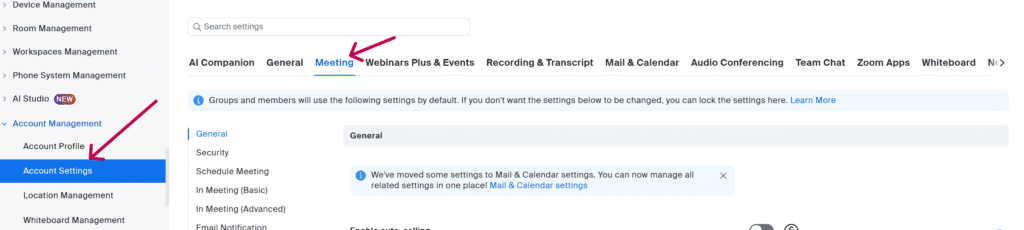
Most of the following suggestions can be found in the Account Settings when you log in to the Zoom website.
Before the meeting
- Use passwords and unique IDs
- Enable waiting rooms
- Disable “Join Before Host”
- Require registration and authentication
During the meeting
- Lock the meeting
- Manage screen sharing
- Restrict screen sharing to yourself in the “Advanced Sharing Options” to prevent unauthorized users from hijacking the session.
- Mute participants upon entry, disable their video, turn off file transfer, and restrict or disable chat features to minimize disruption.
- Know how to remove participants
- Disable “Allow Removed Participants to Rejoin”
General best practices
- Do not share meeting links publicly
- Avoid posting links on social media or in public forums where they could be found by unwanted guests.
- Keep Zoom updated